






How to Play Jigsaw Fantasy Puzzles-Jigsaw Fantasy Puzzles
Similar Games
Step-by-Step: How to Play Jigsaw Fantasy Puzzles
Getting started with Jigsaw Fantasy Puzzles is straightforward. The game follows the familiar logic of traditional jigsaw puzzles, enhanced by digital convenience and the ability to customize your experience. Here is a complete walkthrough from launch to completion.
Step 1: Launch the Game
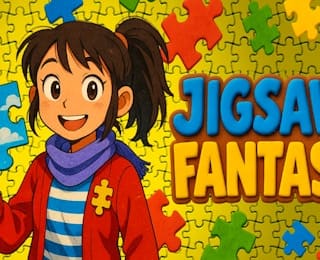
Open Jigsaw Fantasy Puzzles in your web browser through LightPlayHub or any supported gaming portal. The game loads directly — no installation or update prompts to worry about. Once the main screen appears, you will see the colorful fantasy-themed interface with the adventurer character and scattered jigsaw pieces in the background.
Step 2: Choose or Craft Your Puzzle
This is where the customization feature comes into play. You can select a puzzle configuration that matches your desired difficulty. With 1,000+ customizable pieces available, you have the freedom to adjust the size and complexity of your puzzle. Beginners may prefer a smaller piece count, while advanced solvers can opt for a larger, more demanding layout.
Step 3: Study the Reference Image
Before you start placing pieces, take a moment to examine the completed image you are working toward. The reference picture shows the full fantasy artwork — the character, the background pattern, and the color distribution. Understanding the overall composition helps you anticipate where pieces will go.
Step 4: Separate the Edge Pieces
A universal jigsaw strategy applies here: begin by identifying and setting aside the border pieces. These are the pieces with one flat side. Assembling the frame first gives your puzzle a structural boundary and makes it easier to place interior pieces later.
Step 5: Drag Pieces onto the Board
Select a piece from your available pool and drag it to the position where you believe it belongs. The game uses intuitive drag-and-drop mechanics. When a piece is placed in the correct location, it locks into position, confirming your progress visually.
Step 6: Rotate Pieces as Needed
Not every piece will be oriented correctly when you first pick it up. Use the rotation control to turn a piece until its tabs and blanks align with the surrounding gaps. Rotation is essential for matching the unique shape of each jigsaw piece to its slot.
Step 7: Work by Color and Pattern
The fantasy artwork features distinct color zones — warm reds, cool blues, bright greens, and golden yellows. Group pieces by color and pattern to reduce the search space. Matching a piece's colors to the corresponding region of the reference image is faster than trial and error.
Step 8: Fill In the Interior
Once the border is complete and major color blocks are established, fill in the remaining interior sections. Work from areas of high contrast or distinctive detail outward, using the already-placed pieces as anchors for shape and color matching.
Step 9: Complete the Puzzle
When the last piece clicks into place, the full fantasy image is revealed. Take a moment to appreciate the completed artwork — the adventurer, the vibrant background, and the satisfying mosaic of interlocking pieces that you assembled yourself.
For detailed information on input methods, see our Controls section. To understand the underlying rules that govern piece placement and puzzle completion, read the Game Rules section.
Controls in Jigsaw Fantasy Puzzles
Jigsaw Fantasy Puzzles uses standard browser-game input methods designed to feel natural on both desktop and mobile devices. Because the game is a jigsaw puzzle, the control scheme is intentionally simple — the focus is on precision placement rather than fast reflexes.
Desktop / Mouse Controls
- Select a piece: Click on a puzzle piece in the tray or on the board to grab it.
- Move a piece: Hold the left mouse button and drag the piece to your desired location on the puzzle board.
- Place a piece: Release the mouse button to drop the piece. If the position is correct, the piece snaps into place.
- Rotate a piece: Right-click on a selected piece, or use the dedicated rotate control, to turn the piece incrementally until it aligns with the target slot.
- Deselect: Click on an empty area of the board to release a grabbed piece back to its previous position.
Mobile / Touch Controls
- Select and move: Tap a piece to pick it up, then drag your finger to reposition it on the screen.
- Place: Lift your finger to drop the piece. Correct placements lock automatically.
- Rotate: Tap the on-screen rotate button, or use a secondary tap gesture on the selected piece, to change its orientation.
- Zoom / Pan (if available): Pinch to zoom in on detailed areas of the puzzle, and use two-finger drag to pan across a large board. This is especially helpful when working with 1,000+ piece configurations where fine detail matters.
General Notes
The control scheme is consistent across devices, so skills learned on desktop transfer directly to mobile and vice versa. There are no complex key combinations or multi-step commands — every action maps to a single, intuitive gesture. This low barrier to entry means you can start solving puzzles within seconds of opening the game, regardless of your prior experience with browser-based titles.
If you are new to digital jigsaw puzzles altogether, our How to Play guide walks through the full solving process from start to finish, showing how these controls fit into the bigger picture.
Game Rules of Jigsaw Fantasy Puzzles
The rules of Jigsaw Fantasy Puzzles are rooted in the timeless logic of jigsaw puzzles, adapted for a digital, customizable format. Understanding these core rules will help you approach every puzzle with confidence.
Objective
The goal is simple: assemble the complete fantasy image by placing every puzzle piece in its correct position. There is no alternative win condition — the puzzle is solved when the full picture is reconstructed and all pieces are locked into place.
Piece Placement
- Each piece has a unique shape defined by its tabs (protrusions) and blanks (indentations).
- A piece can only be placed in the slot that matches its exact shape and orientation.
- When a piece is dragged to the correct location, it snaps into place, indicating a successful match.
- If a piece is placed in an incorrect location, it does not lock. It remains free-floating or returns to the tray, allowing you to try again.
Rotation
Pieces may start in a random orientation. You must rotate a piece until its tabs and blanks align with the corresponding gaps in the surrounding already-placed pieces. A piece that is the right shape but the wrong rotation will not snap into place.
Border and Interior
- Border pieces have one or two flat edges and form the outer frame of the puzzle.
- Interior pieces have tabs and blanks on all sides and fill the inside of the image.
- There is no rule requiring you to build the border first, but doing so is a widely recommended strategy (see our tips page for details).
Customization Rules
Because the game features 1,000+ customizable pieces, the total piece count in a given puzzle may vary depending on the configuration you choose. The rules remain the same regardless of size: every piece must be placed correctly for the puzzle to be considered complete. A larger piece count simply means more individual placements and a finer level of detail in the final image.
Completion
The puzzle is finished when the last piece locks into position and the full fantasy artwork is visible with no gaps. At that point, the game recognizes the solve. There are no partial-completion bonuses or intermediate scoring tiers described in the available information — the focus is entirely on the satisfaction of finishing the picture.
Pacing
Jigsaw Fantasy Puzzles is a self-paced experience. You take as long as you need, pause whenever you want, and return to your in-progress puzzle at your convenience. The game does not impose countdown timers or pressure-based mechanics that would conflict with the relaxing nature of jigsaw puzzling.
For a practical demonstration of these rules in action, follow the step-by-step instructions in our How to Play guide.
Detailed Gameplay Guide
This guide expands on the basic how-to-play steps with practical advice on managing the puzzle board, working efficiently with large piece counts, and making the most of the game's customization options during a session.
Understanding the Puzzle Board
The puzzle board is the central workspace where the image takes shape. Pieces that have been correctly placed are locked to the board, forming a growing mosaic. Unplaced pieces reside in a tray or scattered area outside the main board. As you progress, the locked region expands outward (or inward from a completed border), and the remaining loose pieces shrink in number.
Managing 1,000+ Pieces
Working with a large piece count requires organization. Here are practical approaches:
- Sort before you solve. Spend the first few minutes separating pieces into rough groups: border pieces, and then interior pieces sorted by dominant color (reds, blues, greens, yellows, etc.). This upfront investment saves significant time later.
- Work in zones. Rather than jumping randomly across the image, focus on one color zone or one region of the artwork at a time. Completing a contiguous block gives you a larger anchored area, making adjacent placements easier.
- Use distinctive features as landmarks. The fantasy artwork includes character details, pattern transitions, and color boundaries. These serve as natural landmarks that help you orient pieces quickly without exhaustive shape testing.
Leveraging Customization
The "Craft Your Dream Puzzles" feature means you can adjust your experience mid-session or between sessions. If a 1,000-piece puzzle feels overwhelming, scale down. If you have finished a smaller puzzle and want a greater challenge, scale up. This flexibility is one of the game's strongest gameplay advantages — you are never stuck with a difficulty level that does not match your current mood or skill.
Reading the Reference Image
Keep the reference image visible throughout your session. Periodically glance at it to remind yourself of the overall composition, especially when transitioning between color zones. The reference is your map; the puzzle board is the territory you are filling in.
Handling Stuck Moments
It is normal to reach a point where no obvious placement presents itself. When this happens:
- Step back and re-examine the reference image for areas you have not yet addressed.
- Look for pieces with unusual shapes — a piece with three tabs and one blank, for example, is easier to place than a four-tab piece.
- Re-sort your remaining loose pieces. Sometimes a fresh pass reveals a match you overlooked.
- Take a short break. Returning with fresh eyes often unlocks placements that seemed impossible minutes earlier.
Finishing Strong
The last 10–15% of a puzzle is often the hardest because the anchored area is large and the remaining gaps are small and specific. Slow down, examine each loose piece carefully against the remaining holes, and resist the urge to force pieces. Patience at this stage prevents frustration and protects the progress you have already made.
To complement this gameplay guide with targeted improvement advice, visit our Tips & Strategy page, which covers beginner fundamentals, advanced techniques, and common pitfalls to avoid.