






How to Play Jigsaw Puzzle Mania-Jigsaw Puzzle Mania
Similar Games
How to play Jigsaw Puzzle Mania follows the classic jigsaw puzzle loop: examine the scattered pieces, identify likely edge and corner candidates, build stable sections, and place remaining pieces until the target animal or landscape image is complete. The steps below are written for the game as described: an online jigsaw puzzle collection with animal and landscape pictures.
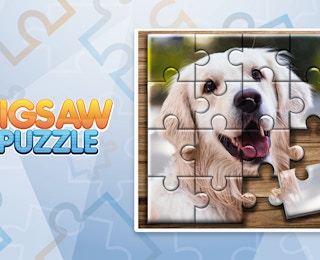
The dog image shown in the promotional material is a useful mental model. Most of the head, ears, and background are assembled, while one missing piece reveals the kind of final decision players make: does this fragment belong to fur, background, or an edge? The answer comes from combining shape and artwork.
1. Begin with the full set of pieces
At the start of a puzzle, pieces are separated and must be brought together visually. Before placing many pieces, scan the board for obvious edge segments and highly distinctive artwork. This initial survey helps prevent random trial and error.
2. Find the border pieces
Edge pieces usually have one straight side. In a jigsaw puzzle, the border creates a reliable frame. Place corner-like pieces first if they are easy to identify, then connect straight-edge pieces along the top, bottom, left, and right sides. A completed frame makes the remaining interior area easier to manage.
3. Separate pieces by visual region
After the border, group pieces by color and texture. For animal puzzles, group dark eye areas, nose tones, mouth shapes, fur light/dark zones, and background fragments. For landscape puzzles, group sky blues, cloud whites, ground browns or greens, water tones, tree lines, and shadow areas. Grouping reduces the number of candidate positions for each piece.
4. Use distinctive landmarks
Landmarks accelerate solving. A dog eye, tongue, nose, ear outline, horizon line, tree trunk, rock edge, or water reflection can serve as an anchor. Build outward from these anchors because they have fewer possible matching locations than uniform color fields.
5. Match shape and image together
A piece may look correct by color but fail by shape, or fit by shape but disrupt the picture. Check both criteria. The tab and blank pattern should continue the neighboring piece contours, while the printed artwork should align without abrupt color breaks.
6. Fill large areas before tiny details
Large color blocks are usually easier to place than small textured details. Complete broad regions first, then use the remaining gaps to constrain the final pieces. As the puzzle nears completion, empty spaces become shape-specific, making the last pieces easier to identify.
7. Review remaining gaps systematically
When only a few pieces remain, compare the missing outlines with the unused pieces. Look for unique combinations of tabs, blanks, and straight edges. Also inspect tiny artwork clues such as fur strands, feather edges, leaf shapes, cloud wisps, or horizon interruptions.
8. Verify the completed picture
When the last piece is placed, scan the full image for broken lines, mismatched colors, or irregular borders. A correct jigsaw solution should appear seamless. If any area looks wrong, remove only the suspicious local pieces and retest them against neighboring shapes.
The rules of Jigsaw Puzzle Mania are inferred from its identity as a jigsaw puzzle game and the supplied description. The available information does not describe points, lives, timers, or competitive restrictions, so the rule set below stays focused on the supported puzzle objective.
Primary objective
The player's goal is to reconstruct a target picture by placing all jigsaw pieces into their correct positions. The completed result should match the animal or landscape image represented by the scattered pieces.
Piece relationships
Each piece belongs to one puzzle image and has a specific location. Correct placement depends on two kinds of continuity: physical shape continuity, where tabs and blanks interlock with neighboring pieces, and visual continuity, where colors, lines, textures, and objects align across piece boundaries.
Single-picture focus
The promotional image suggests that each puzzle is a self-contained picture. Rather than combining pieces from multiple unrelated images, the player's task is to resolve one coherent scene. This makes the rules intuitive: every piece has one correct home within the selected puzzle.
Border and interior logic
Border pieces define the outer rectangle of the puzzle. Interior pieces fill the remaining area. While the game description does not specify a mandatory solving order, the border-first approach is a standard jigsaw rule of thumb because it establishes the puzzle's dimensions and reduces ambiguity.
Completion condition
A puzzle is complete when no visible gaps remain and all pieces form a coherent image. The promotional image illustrates this condition by showing a nearly finished dog puzzle with one missing piece and its corresponding empty space.
What is not described
The supplied information does not state a scoring formula, move limit, hint count, timer, multiplayer mode, or ranked competition. Players should therefore treat the game as a puzzle-completion experience rather than a score-driven challenge unless the live interface displays additional rules.
Fair play and pacing
Because no competitive mechanics are described, the natural pacing is self-directed. Players can take time to compare pieces, rearrange candidates, and return to difficult sections. This makes the ruleset approachable for beginners while still offering depth through complex images.
The control scheme for Jigsaw Puzzle Mania is based on direct manipulation of puzzle pieces in an online jigsaw interface. The supplied information does not list keyboard shortcuts, but the visible gameplay concept requires selecting pieces and moving them into position.
Primary interaction
Use the available pointer input to pick up a puzzle piece, drag it to a candidate location, and release it to place it. On a desktop browser, this typically means using a mouse. On a touch-capable browser, the same action may be performed by dragging with a finger if the embed supports touch input.
Moving pieces
Pieces can be repositioned as the player tests possible fits. If a piece does not belong in a location, it can be moved away and tried elsewhere. Controlled movement is important because jigsaw solving often involves comparing several nearby candidates before committing to a placement.
Placing pieces
Placement is successful when the piece's shape and artwork align with the surrounding puzzle. A poorly fitted piece may leave visible gaps, interrupt lines, or clash with adjacent colors. Use these visual mismatches as feedback.
Scanning and selection
Efficient control use includes scanning the piece area rather than grabbing the first tempting piece. Smooth, deliberate dragging helps avoid disturbing already placed sections. When working near completed areas, move nearby pieces cautiously to preserve the established frame or subassembly.
Avoiding displacement
As the puzzle grows, accidental movement becomes more costly. Keep completed regions stable by approaching them from open space rather than dragging pieces across solved areas. If the interface allows pieces to rest in a holding area, use that space to organize candidates without cluttering the active board.
Input assumptions
The provided game data does not specify advanced controls such as rotation buttons, zoom keys, hint hotkeys, or automatic snapping. Therefore, the safest guidance is to rely on the core jigsaw actions: select, drag, position, and release. If the live interface offers extra controls, players can use them as supplements to the basic piece-manipulation workflow.