















Controls for Labubu Jigsaw Puzzles
The controls in Labubu Jigsaw Puzzles for Kids are designed to be highly intuitive, ensuring that children of all ages can easily navigate the game without frustration. Because the game is played directly in a web browser via an embed on LightPlayHub, it supports both traditional mouse inputs and modern touch controls.
Mouse Controls (Desktop and Laptop)
- Select and Drag: Click and hold on a puzzle piece to select it, then drag it to the target area on the puzzle board.
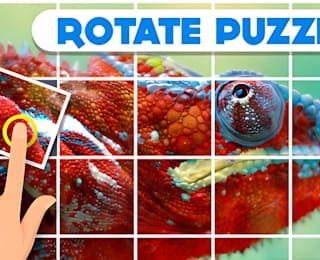
- Rotate Pieces: If a piece is not oriented correctly, use the rotate function to spin it until it aligns with the surrounding pieces.
- Zoom In and Out: Use the scroll wheel on your mouse to zoom in for a closer look at detailed sections or zoom out to see the overall progress of the puzzle.
Touch Controls (Tablets and Mobile Devices)
- Tap to Select: Tap on a puzzle piece in the tray to select it.
- Drag and Drop: Swipe your finger to drag the selected piece to the correct spot on the board.
- Pinch to Zoom: Use two fingers to pinch and zoom in or out on the puzzle board to manage large puzzles on smaller screens.
These simple, responsive controls ensure a smooth and enjoyable experience, allowing kids to focus entirely on the fun of solving the puzzle rather than struggling with complex mechanics.