How to Play Solitaire Classic - Klondike Master
Learning how to play Solitaire Classic is straightforward, but mastering it requires practice and strategic thinking. Here is a step-by-step guide to getting started and understanding the basic flow of the game.
1. Game Setup
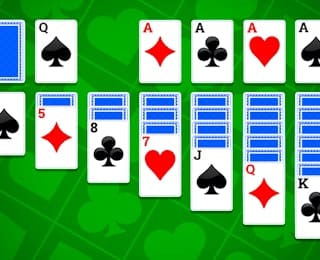
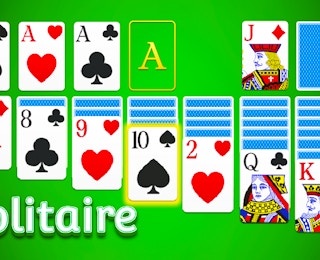
At the start of every game, a standard 52-card deck is shuffled and dealt into seven tableau columns. The first column has one card face up, the second has two (with the top one face up), and so on, up to the seventh column which has seven cards (with the top one face up). This leaves 24 cards in the stock pile. Four empty foundation piles are placed at the top right of the screen.
2. Building the Tableau
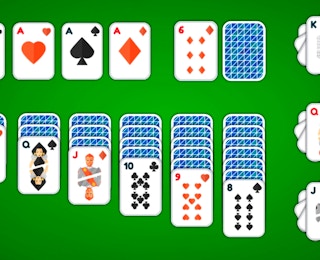
The main goal on the tableau is to build down in alternating colors. For example, a red 5 can be placed on a black 6. You can move any face-up card or a sequence of face-up cards that are properly stacked (descending order, alternating colors) onto another valid card in the tableau or onto a foundation pile.
3. Moving to Foundations
Foundations are built up in ascending order by suit, starting with the Ace. You can only move an Ace to a foundation pile. Once the Ace is there, you build up with the 2, 3, 4, and so on, up to the King. Only one card can be moved to a foundation at a time, and it must be the exact next card in the sequence for that suit.
4. Using the Stock and Waste
The stock pile (bottom left) contains the remaining face-down cards. Click the stock pile to draw cards one by one to the waste pile (next to the stock). If you draw a card that can be played on the tableau or foundations, you can move it immediately. If not, it stays in the waste pile. When the stock is empty, you can click the waste pile to recycle all cards back into the stock, starting over.
5. Winning the Game
The game is won when all 52 cards have been successfully moved to the four foundation piles. Take your time, plan your moves, and use the undo feature if you get stuck!
Complete Rules of Klondike Solitaire
Understanding the exact rules of Solitaire Classic - Klondike Master is crucial for developing a winning strategy. While the game is simple to learn, the nuances of the rules dictate how you manage your cards.
Tableau Rules
- Alternating Colors: Cards in the tableau must be placed in descending order and alternating colors (red on black, black on red). For instance, a red 8 can go on a black 9.
- Face-Down Cards: When you move a face-up card from a tableau column, the card beneath it is automatically flipped face-up.
- Empty Columns: An empty tableau column can only be filled with a King or a sequence starting with a King. You cannot place a non-King card in an empty column.
Foundation Rules
- Ascending Order: Cards in the foundation must be built in ascending order from Ace to King.
- Same Suit: All cards in a single foundation pile must belong to the same suit (Hearts, Diamonds, Clubs, or Spades).
- Single Moves: Only the exact next card in the sequence can be moved to a foundation. You cannot move a sequence of cards to the foundation at once.
Stock and Waste Rules
- One-Card Draw: In the classic mode, you draw one card at a time from the stock to the waste pile. The alternative mode may offer a three-card draw variation.
- Recycling: When the stock pile is depleted, you can click the waste pile to flip it over and return all cards to the stock. This allows you to go through the deck again.
Winning Condition
The game is officially won when all four foundation piles are completely filled, from Ace to King, with all cards matching their respective suits. If you cannot make any more legal moves and the stock is exhausted, the game is lost.
Controls and Interface Guide
Solitaire Classic - Klondike Master features a clean, intuitive interface designed to make card movement as frictionless as possible. Here is a breakdown of how to interact with the game.
Card Movement
The primary control method is simple click-and-drag. Click and hold on a valid card (or sequence of cards) on the tableau, and drag it to the destination pile (another tableau column or a foundation pile). Release the mouse button to complete the move. If the move is invalid, the card will snap back to its original position.
Touch and Mobile Controls
On mobile devices, the touch controls are optimized for fingers. Tap a card to select it, then tap the destination pile to move it. Alternatively, you can tap and hold to drag and drop. The game automatically highlights valid moves when you tap a card, making it easy to see where you can place it.
Game Menu and Utilities
- New Game: Click this button to shuffle a fresh deck and start a new round. Your current progress will be lost, so use this only when you want a clean slate.
- Undo: This is your best friend. Click the undo button to reverse your last move. This is essential for correcting mistakes or exploring different strategic paths without restarting.
- Hints: If you are stuck, the game may offer a hint feature that highlights a valid move to help you get unstuck.
- Auto-Complete: Some versions include an auto-complete button that automatically moves any card to a foundation if it is legally playable.
Mastering these controls will significantly improve your speed and accuracy, allowing you to focus purely on strategy.











61762545.jpg)

60548019.jpg)
60802768.jpg)